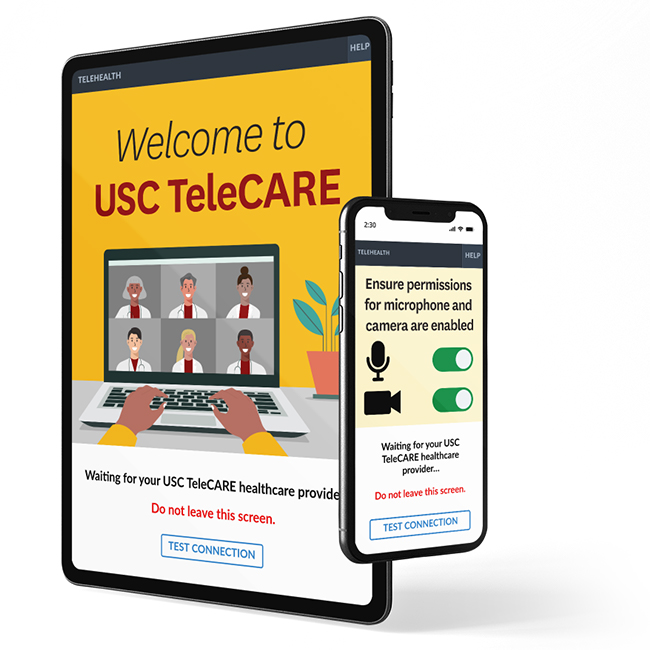
USC TeleCARE App

Improving the digital patient care experience for virtual doctor visits
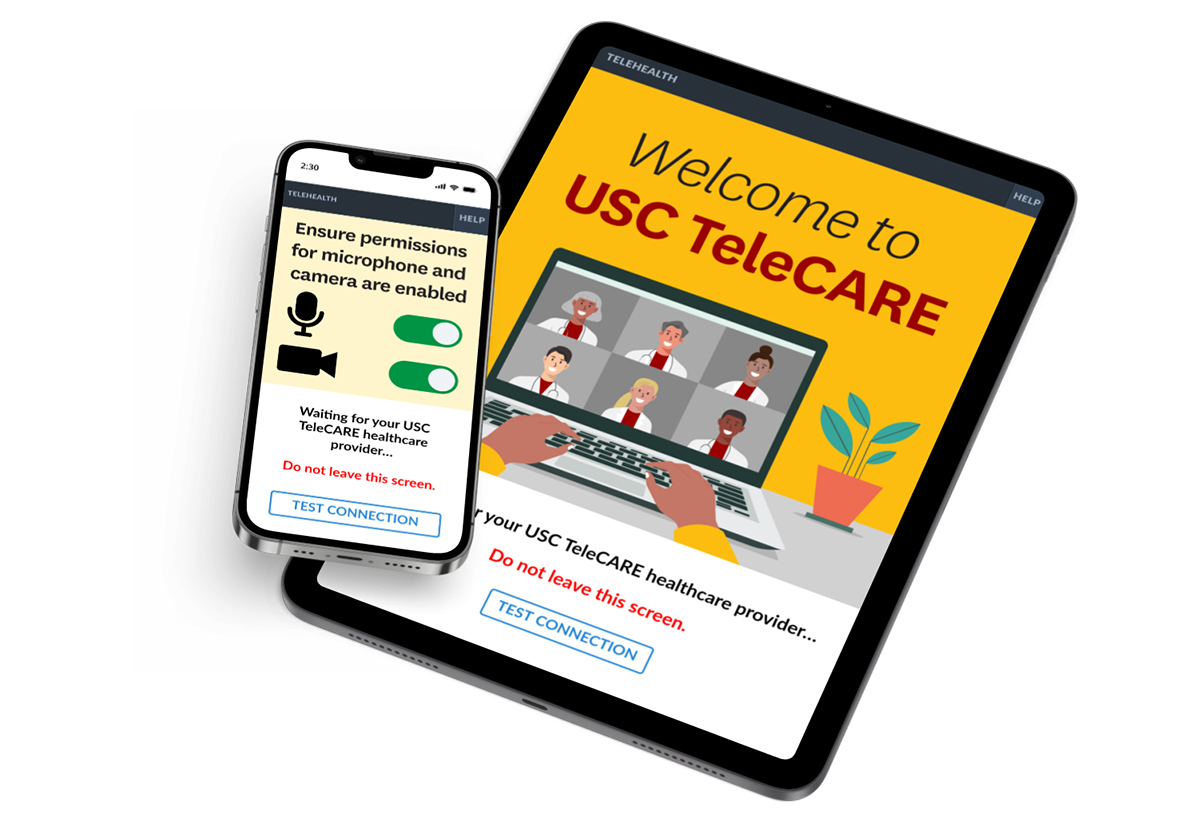
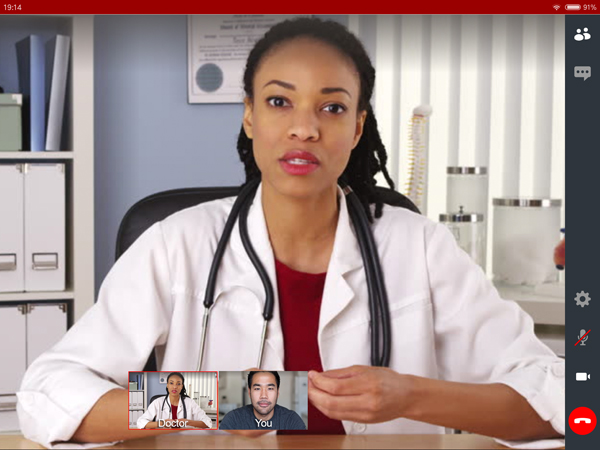
Screenshots of USC TeleCARE app

Project type

Full-time employed

Team

Content Writer
Project Manager
Developers
Stakeholders

My role

UX Research
UI Design
Animation

Tools

Figma
Illustrator
After Effects
Photoshop

Duration

4 weeks

Overview

Background

Keck Medicine of USC is the University of Southern California’s medical enterprise, one of only two university-based medical systems in the Los Angeles area.

The USC TeleCARE app creates a virtual doctor visit, securely connecting patients with renowned Keck Medicine of USC physicians.

The Challenge

Keck Medicine of USC patients want easy access to virtual visits with their provider. As the demand for digital patient care grows, some users are experiencing technical difficulties connecting to their provider through the USC TeleCARE app.

The Task

The current virtual waiting room does not provide clear instructions on how to prepare for a virtual doctor visit. The task is to enhance the UX/UI of the USC TeleCARE app virtual waiting room to help patients connect with their doctors.

Empathize

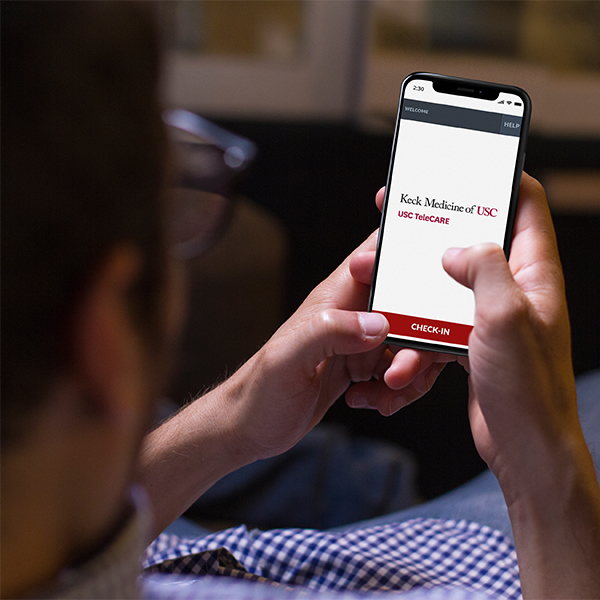
A man opens the USC TeleCARE app on his phone

Research Goals

I conducted research to learn how USC TeleCARE fits into the patient care journey, and what pain points users are experiencing.

UX Research Methodologies

Arrow pointing right towards text
Analysis of public patient volume data
Arrow pointing right towards text
Analysis of patient reviews and feedback
Arrow pointing right towards text
Meetings with internal with stakeholders

Key insights from public data

Arrow pointing right towards text
In 2020 Keck Medicine of USC expanded its telemedicine services to keep patients and health care workers safe amid the coronavirus pandemic.
Arrow pointing right towards text
Early in the pandemic, virtual visits increased by about 9,000%, from 300 to 400 per year, to 700 to 1,000 telemedicine clinic visits each week.
research icon
Pandemic Insight #1
Average number of telemedicine clinic visits each week
850
Source: Public data from Keck Medicine of USC
research icon
Pandemic Insight #2
Percentage of patients checking-in for a virtual visit with their doctors
86%
Source: Public data from Keck Medicine of USC
research icon
Pandemic Insight #3
Number of Keck Medicine clinics offering virtual visits
114
Source: Public data from Keck Medicine of USC

What I learned

The pandemic accelerated the shift towards digital patient care access at Keck Medicine of USC.

Key insights

Arrow pointing right towards text
During the early days of the pandemic, many patients were worried about going to hospital or clinic in-person.
Arrow pointing right towards text
Thousands of patients began using the USC TeleCARE app for the first time.
Arrow pointing right towards text
Today, demand has lowered, but many patients continue to use USC TeleCARE to recieve flexible, time-saving, convenient and secure access to their health care team.
A middle-aged woman using her cell phone at home

Define

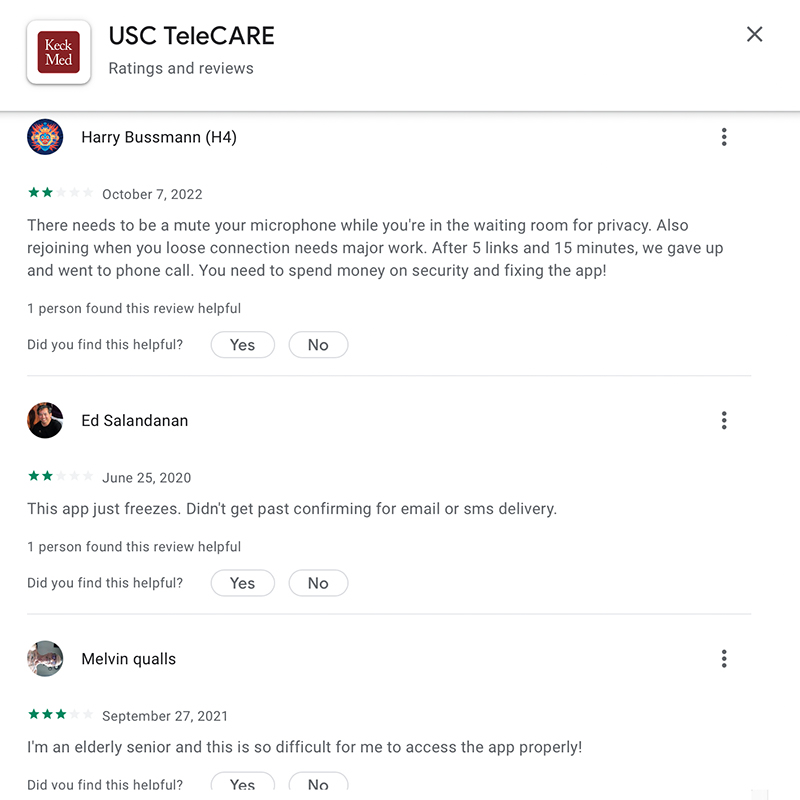
Screenshot showing patient reviews for USC Telecare app

Analysis of patient reviews

I examined negative patient reviews on the Apple App Store and Google Play Store to identify the pain points and frustrations of users.

Key Insights

Arrow pointing right towards text
57% of negative comments were related to confusion with how to use the app.
Arrow pointing right towards text
Many of the technical difficulties users experienced could be prevented by changing the settings on their mobile device.

Design Opportunity

Arrow pointing right towards text
Update the virtual waiting room instructions to make them more user friendly and easy to understand.
Atomic Finding #1
research icon
Fact (what we heard): "Extremely confusing hectic and time consuming for first time user and not sawy technical oriented people. I believe strongly it could be much more easier to use."
- Ray Mirghanbari (Google Play Store Review)
define icon
Insight (what we learned):Many patients are doing virtual doctor visits for the first time, and the process can be confusing and frustrating.
ideate icon
Opportunity (how we can improve):Make the the app and instructions easy to understand for first time users.
Atomic Finding #3
research icon
Fact (what we heard): "There needs to be a mute your microphone while you're in the waiting room for privacy. Also rejoining when you loose connection needs major work. After 5 links and 15 minutes, we gave up and went to phone call."
- Harry Bussmann (Google Play Store Review)
define icon
Insight (what we learned):Users are frustrated and confused by the virtual waiting room experience.
ideate icon
Opportunity (how we can improve):Provide clearer instructions on volume control and how to reconnect if the call drops.
Atomic Finding #2
research icon
Fact (what we heard): "I'm an elderly senior and this is so difficult for me to access the app properly!"
- Melvin qualls (Google Play Store Review)
define icon
Insight (what we learned):The current app and meeting instructions are confusing for senior users
ideate icon
Opportunity (how we can improve):Simplify the check-in process and meeting instructions to make it easier to understand.
Atomic Finding #4
research icon
Fact (what we heard):"Because of the update my Macbook is not compatiple with the app. There needs to be better updates so I don't have to use my phone when I have a telemed call with my doctor."
- User review (Apple App Store)
define icon
Insight (what we learned):Users want flexibility on how to connect with their doctor.
ideate icon
Opportunity (how we can improve):Provide clear instructions on how to connect on a computer or smart phone.

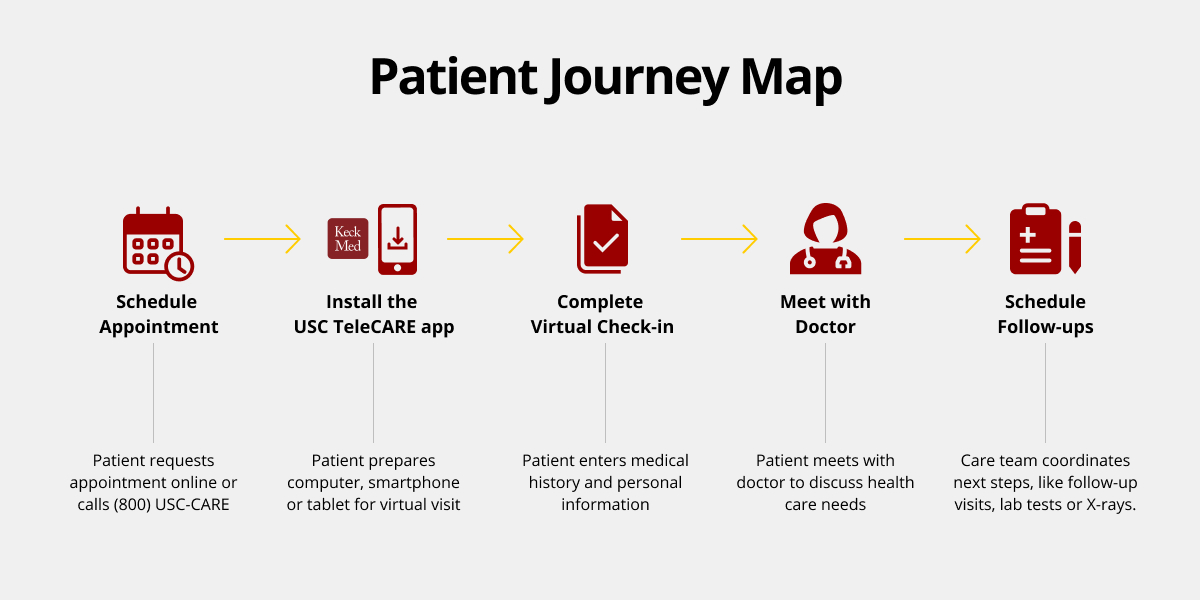
Patient Journey Map

I created a journey map to illustrate the USC TeleCARE patient care journey
Chart showing the patient journey map for USC TeleCARE

Stakeholder Interviews

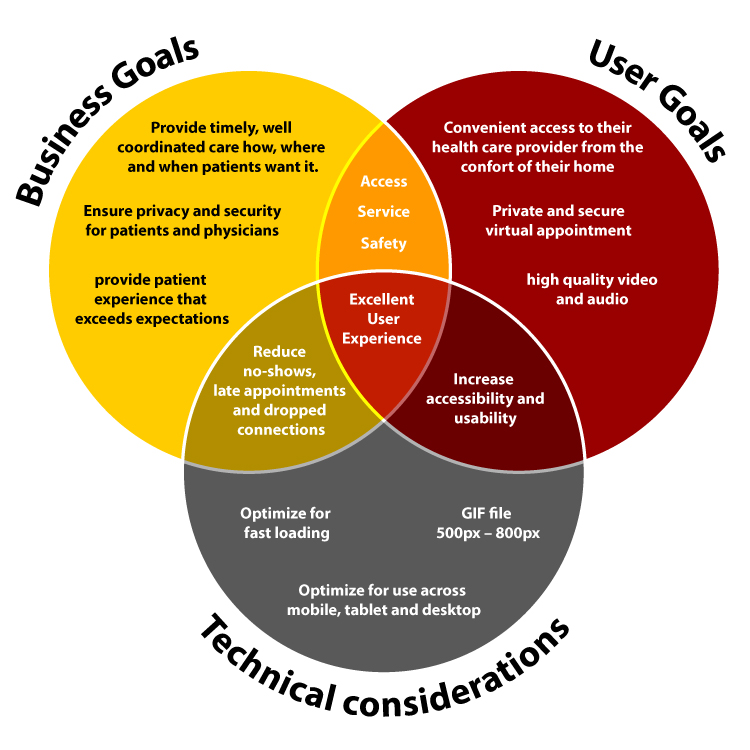
I met with internal stakeholders to learn about the business goals and technical considerations.

Key Business goals

Arrow pointing right towards text
Reduce lost revenue due to no-shows, late appointments and dropped connections
Arrow pointing right towards text
Increase patient satisfaction

Technical considerations

I discovered some key challenges after meeting with internal stakeholders:
alert circle
USC TeleCARE is built on a third party platform with limited customization
alert circle
Use of video files incur a data fee of $5,000 per upload
Venn diagram showing business goals, user goals and technical considerations
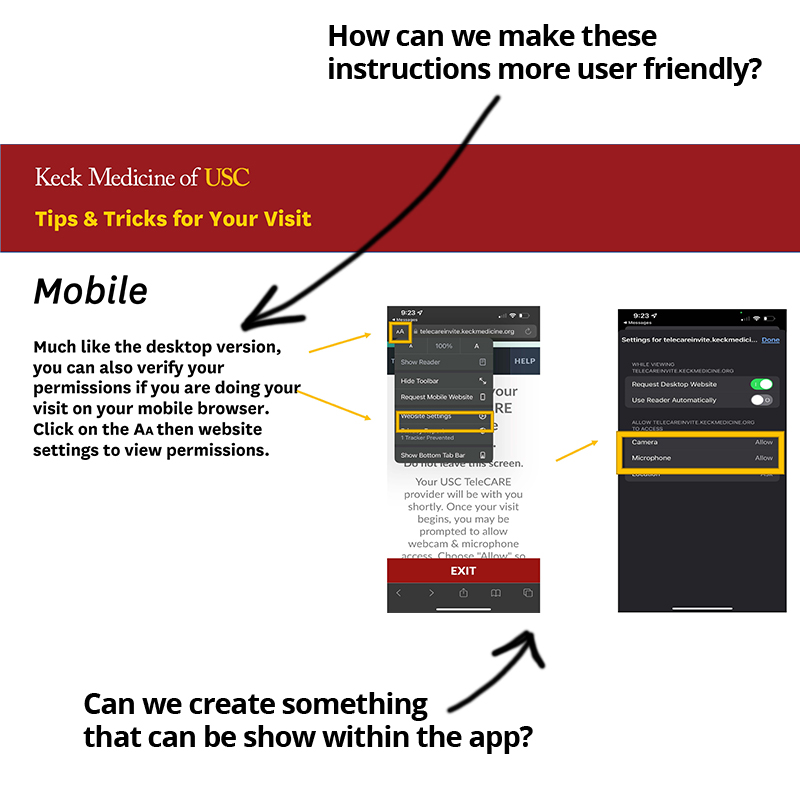
Screenshot of PDF with instructions

Design Opportunity

After meeting with internal stakeholders, I discovered that the instructions currently provided for USC TeleCARE were in a PDF format.

Key Insights

alert circle
The current instructions are not compatible with the app or optimized for iOS and Android, and must be sent to users as a separate email
alert circle
The multi-page format of the current instructions is not user friendly

How we can improve

Arrow pointing right towards text
Provide user friendly, in app instructions that users can view while waiting for their doctor.

Ideate

Sketches

I collaborated cross-functionally with content writers who provided a script for the animation. Using the script as a guide, I began sketching to illustrate my ideas and prepare a storyboard.
Sketches of the storyboard for the animation

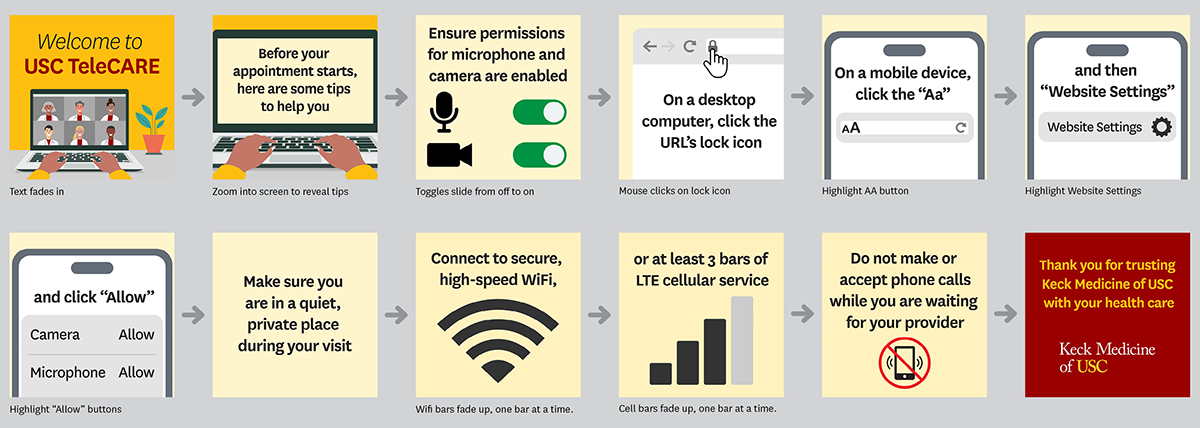
Storyboard

I created a high fidelity storyboard to present to key stakeholders, in order to get buy in for the design before starting on the animation
Image showing storyboard of animation

Prototype

Tiny File, Big Impact

It was essential to make sure that the animation loads quickly. After creating an initial prototype, I optimized the file to reduce the size (-75%) and increased load speed (+275%).
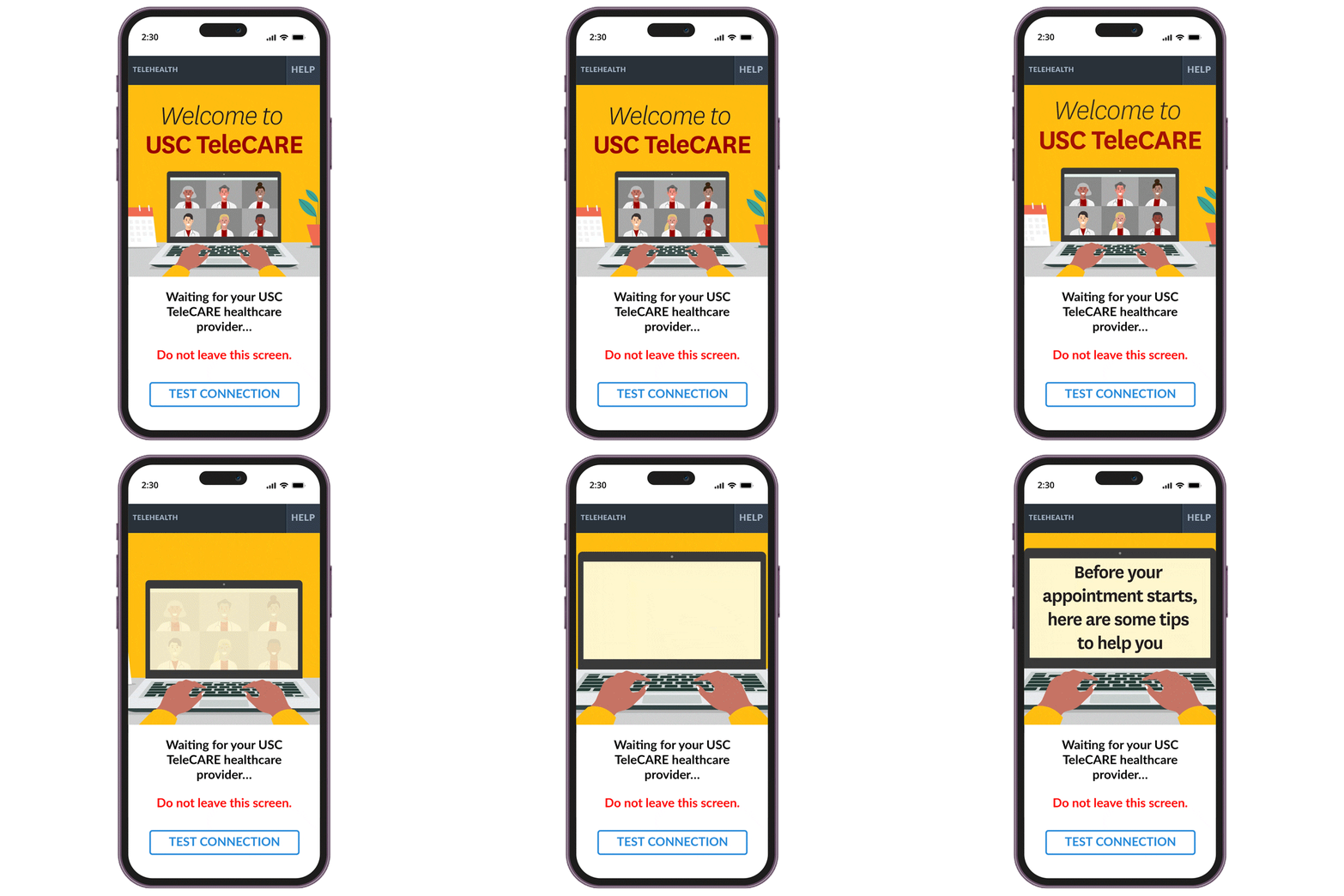
Animated welcome screen for virtual doctor visit
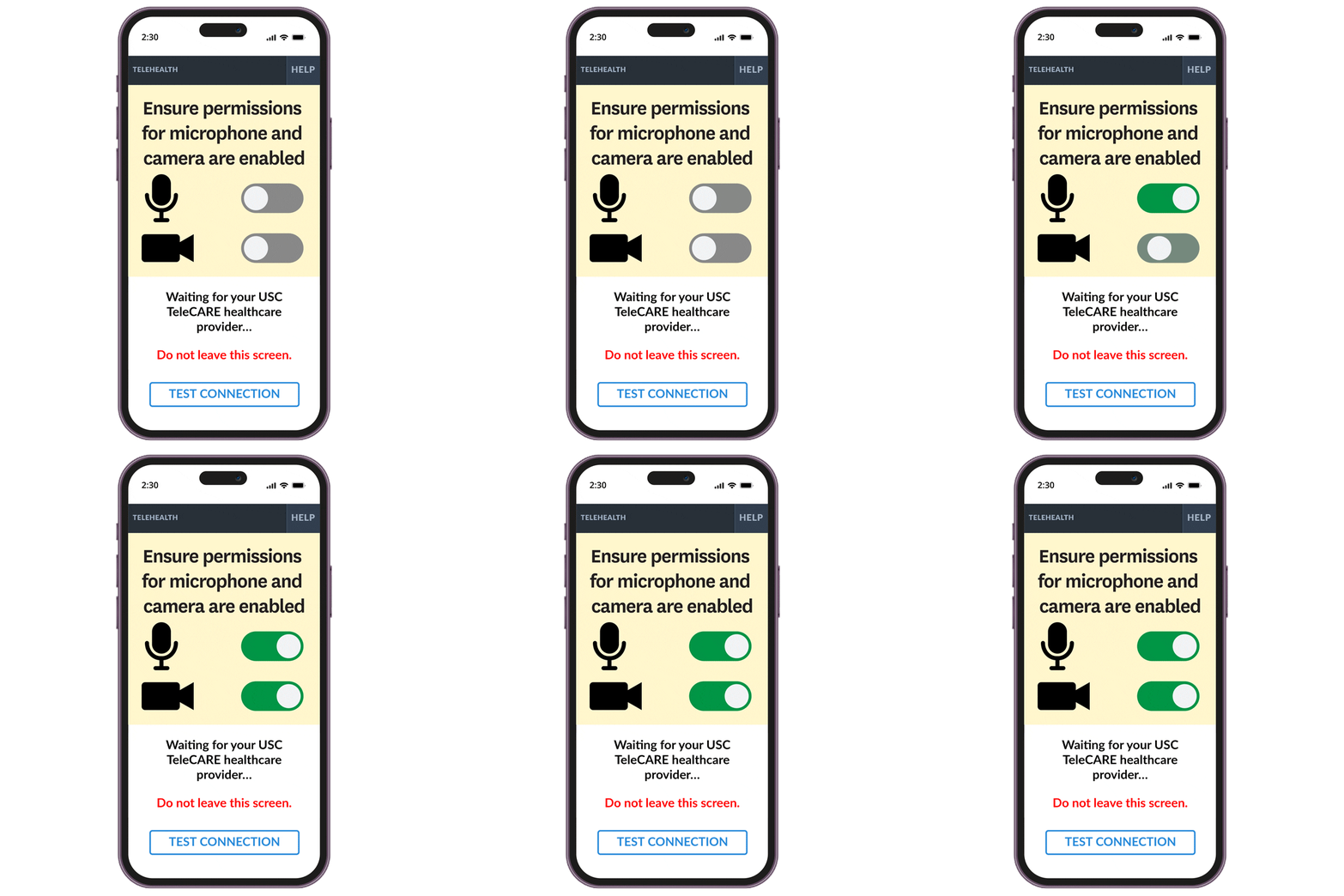
Animation showing how to enable camera and microphone permissions

Using motion to guide users

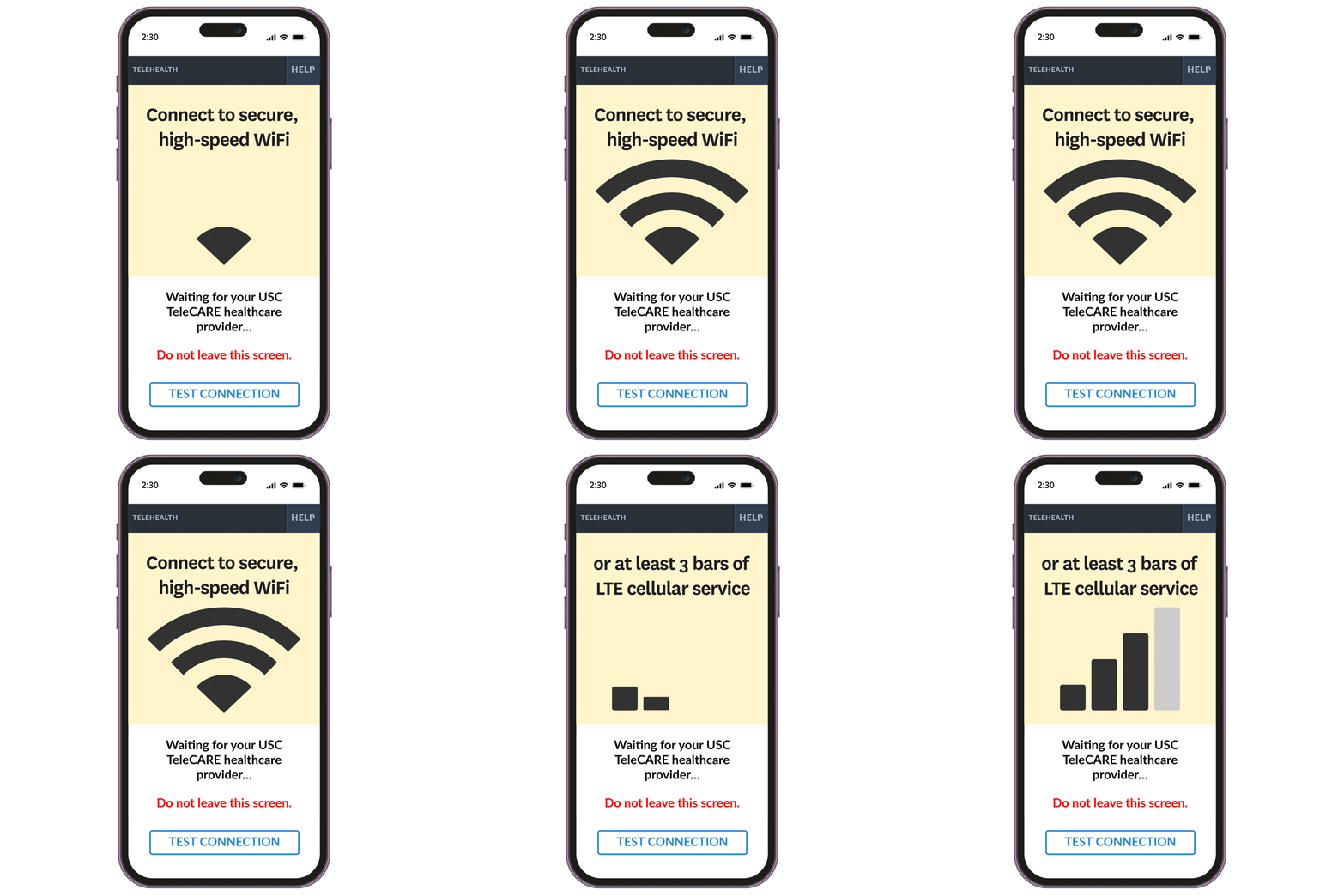
I created simple animations to provide a clear guide on how to best prepare for a virtual doctor visit.

Maximizing compatibility

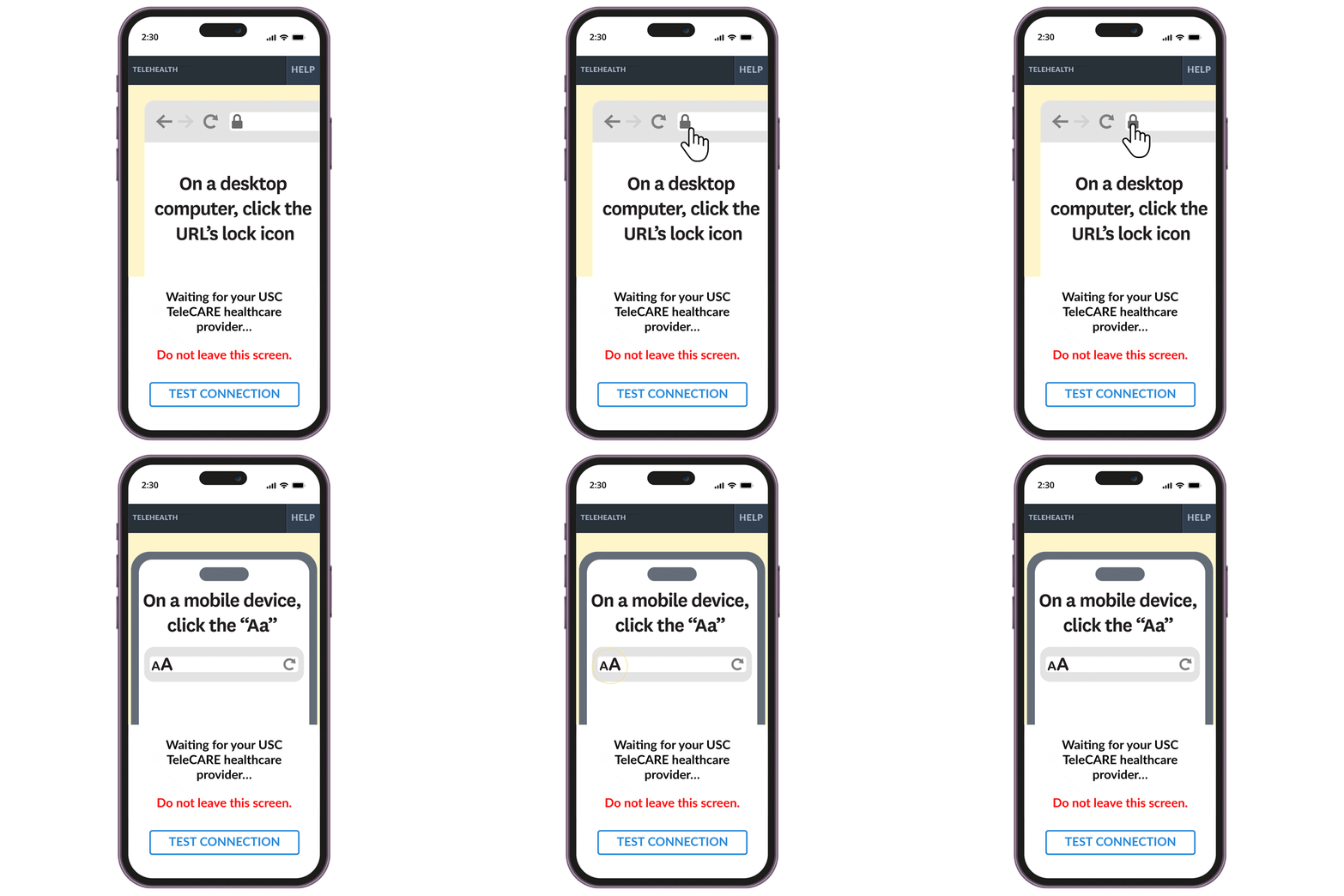
The waiting room animation was designed for compatibility across iOS, Android and desktop devices, and can show to users within the app on any device.
Animation showing how to connect to USC TeleCARE on a desktop computer
Animation showing wifi and cell phone bars

Saving money for the organization

By creating an optimized file compatible with the app, I helped save Keck Medicine, $5,000 in data fees each time the instructions need to be adjusted.

Next Steps

What I Learned

Key insights from the project

Arrow pointing right towards text
Keck Medicine of USC patients want easy access to virtual visits with their provider, but some patients are struggling with how to access their provider through the USC TeleCARE app
Arrow pointing right towards text
The health system has an opportunity to improve the UX/UI of its digital products to meet the growing demand for digital patient care.

Challenges

Arrow pointing right towards text
The absence of an existing UX Research Repository limited the amount of available research.
Arrow pointing right towards text
Lack of frequent communication with developers caused delays in the handoff process.
Doctor using a cell phone

Next steps

The next step is to measure the impact of the updated virtual waiting room experience over time.

Success Metrics and KPIs

Arrow pointing right towards text
Decreased error rate (less support calls and emails about technical challenges)
Arrow pointing right towards text
Increased user satisfaction(decrease in negative reviews)
Arrow pointing right towards text
Reduce cost< $5k per update to the UI animation

Want to discuss this project?
I'd be happy to connect with you!

View next case study →

Screenshots of SOS Media Store Mobile Website